| Web Screens - Back To Productivity Tools |
| Cloud versions of Productivity Tools require a licensee of the Windows version of TaiRox Productivity Tools.
The web screens are written using the Sage 300 web SDK, integrating seamlessly within the Sage 300cloud home page.More: PDF Brochure |
|
| New: Check out our new video: SmartFinders for Sage 300 Web Screens. |
| New: Supports the Sage Partner Portal. |
| Important Information Regarding 300cloud SDK Applications: |
| • | Productivity Tools cloud requires that the Windows version of Productivity Tools also be installed. | | • | See: Installation Guide |
|
|
| Web Screen Customizations |
Extended Order Entry Adds SmartFinders, PO Control and Customer optional field display.
Watch:Smart Finders for Sage 300 Web Screens |
Extended Shipment Entry Adds SmartFinders, PO Control and Customer optional field display.
Watch:Smart Finders for Sage 300 Web Screens |
|
| Order Entry Tools |
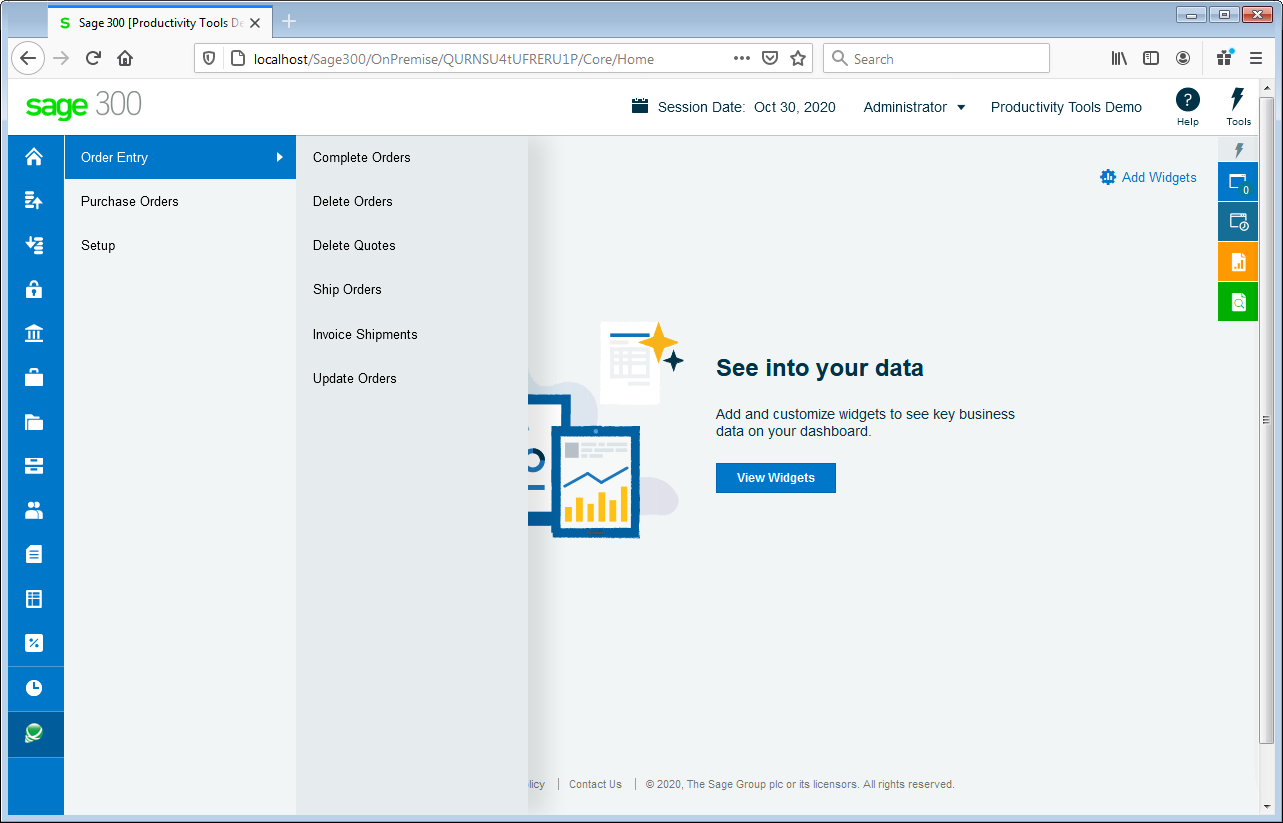
| Access Order Entry tools from the Sage 300 menu: |
 |
|
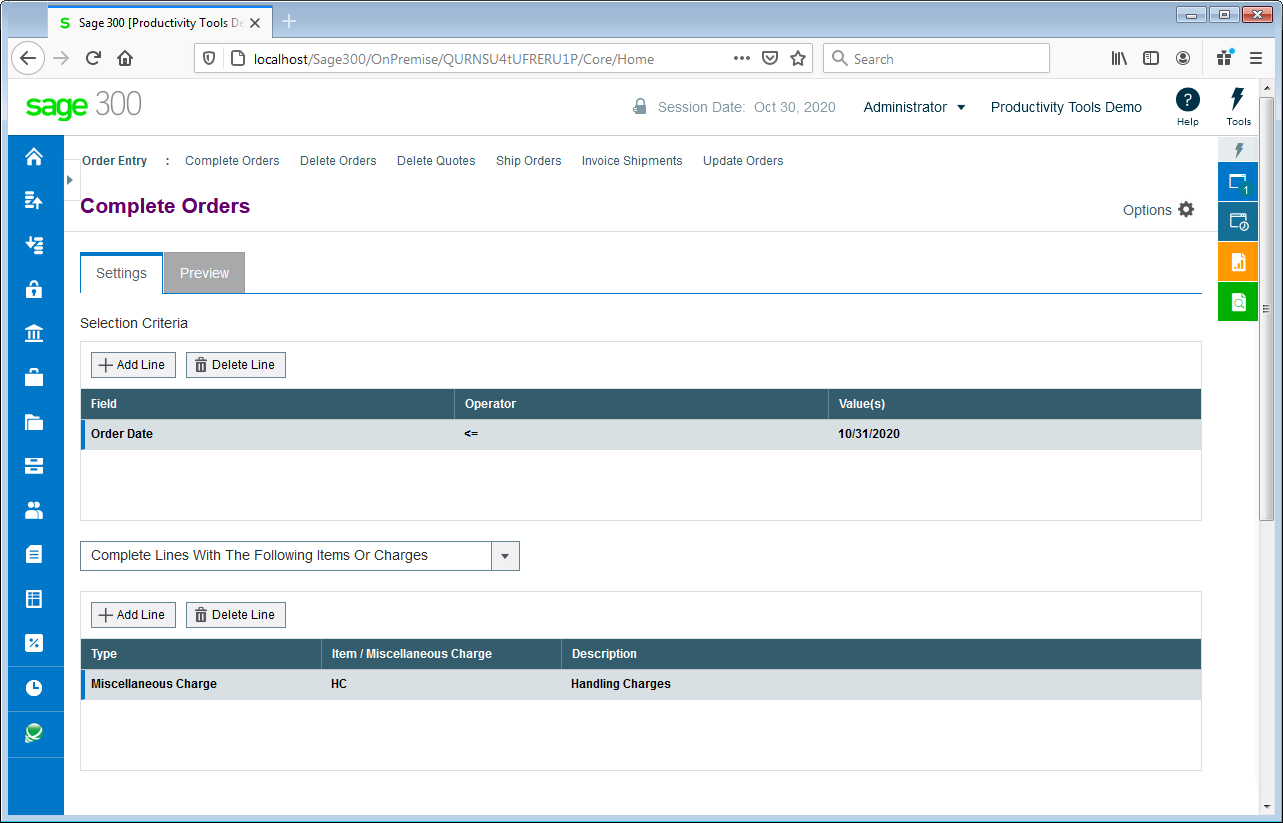
Complete Orders completes old orders that will never be filled, correcting quantities.
Watch: Video |
 |
|
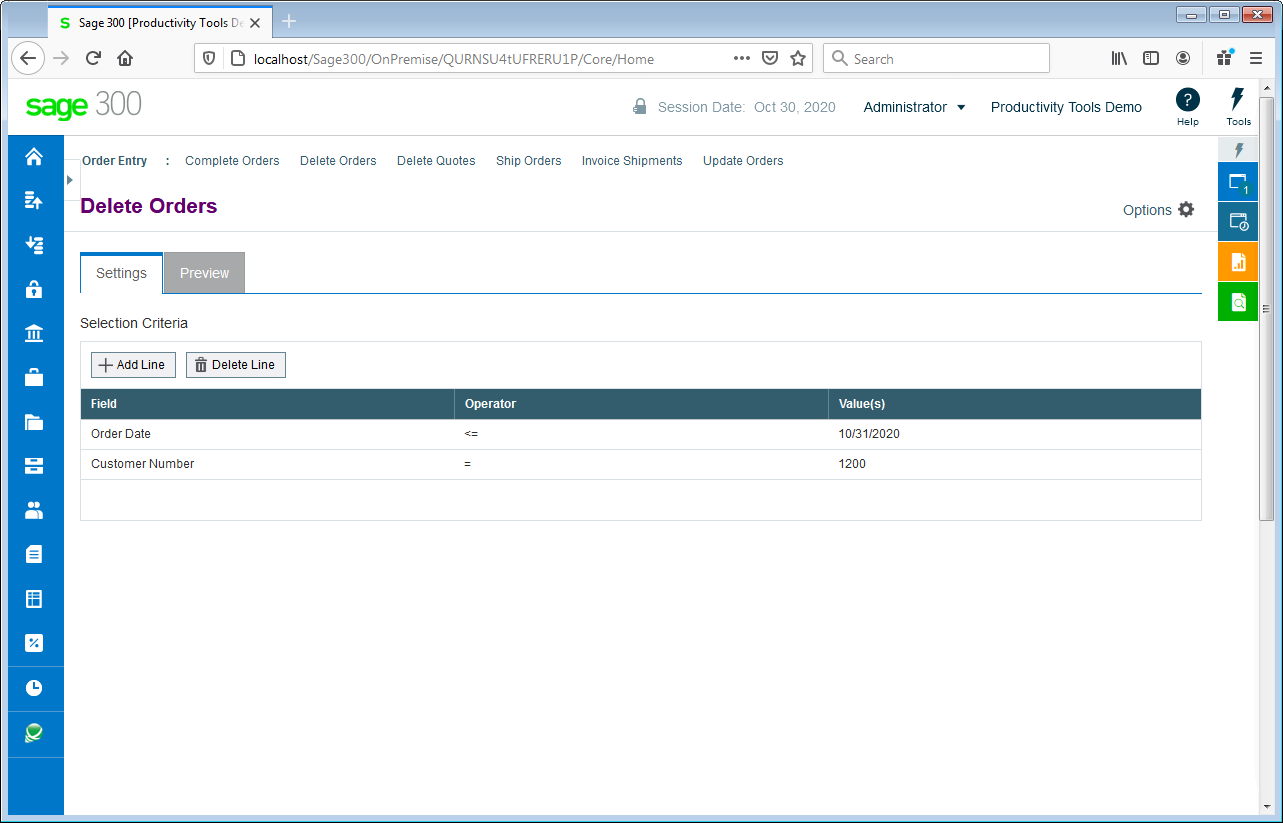
| Delete Orders deletes old orders to correct item quantities and speed up day-end. |
 |
|
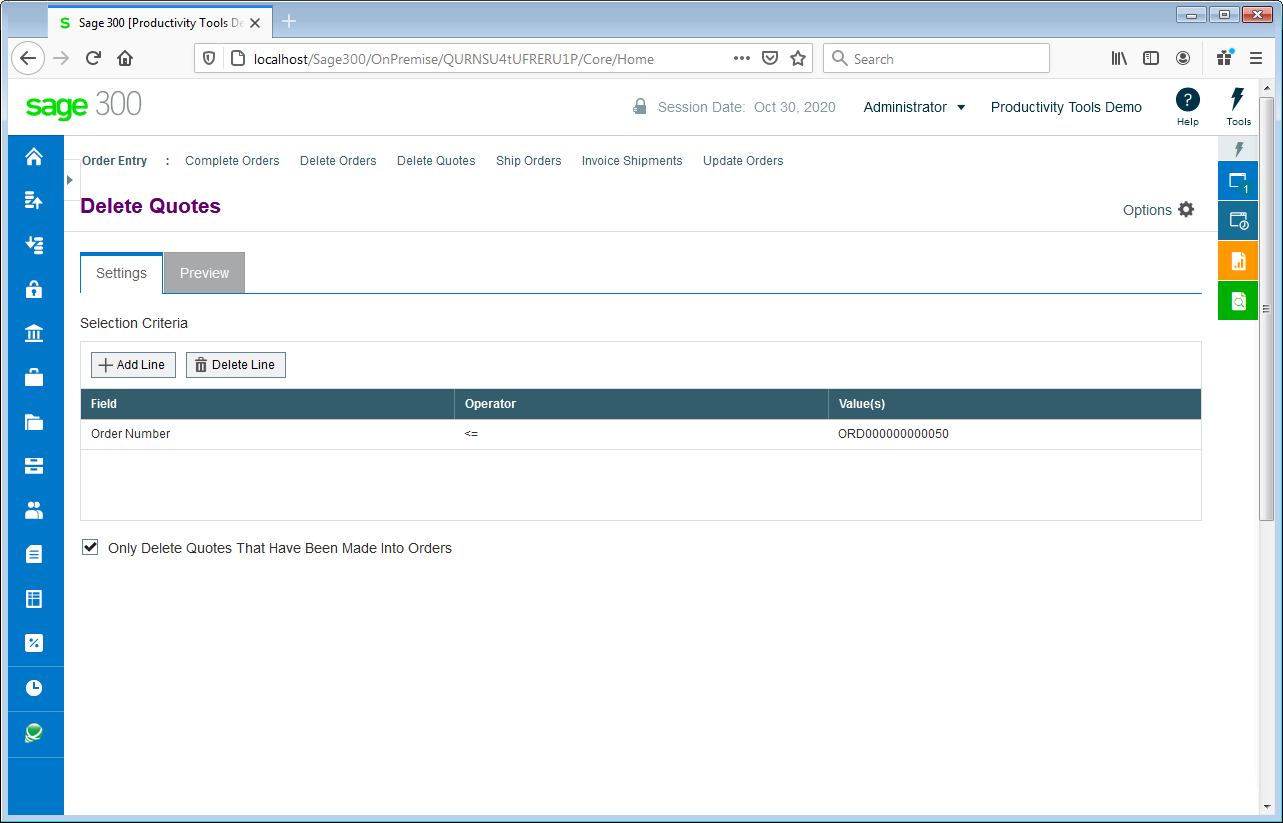
| Delete Quotes deletes thousands of old quotes and speeds up day-end. |
 |
|
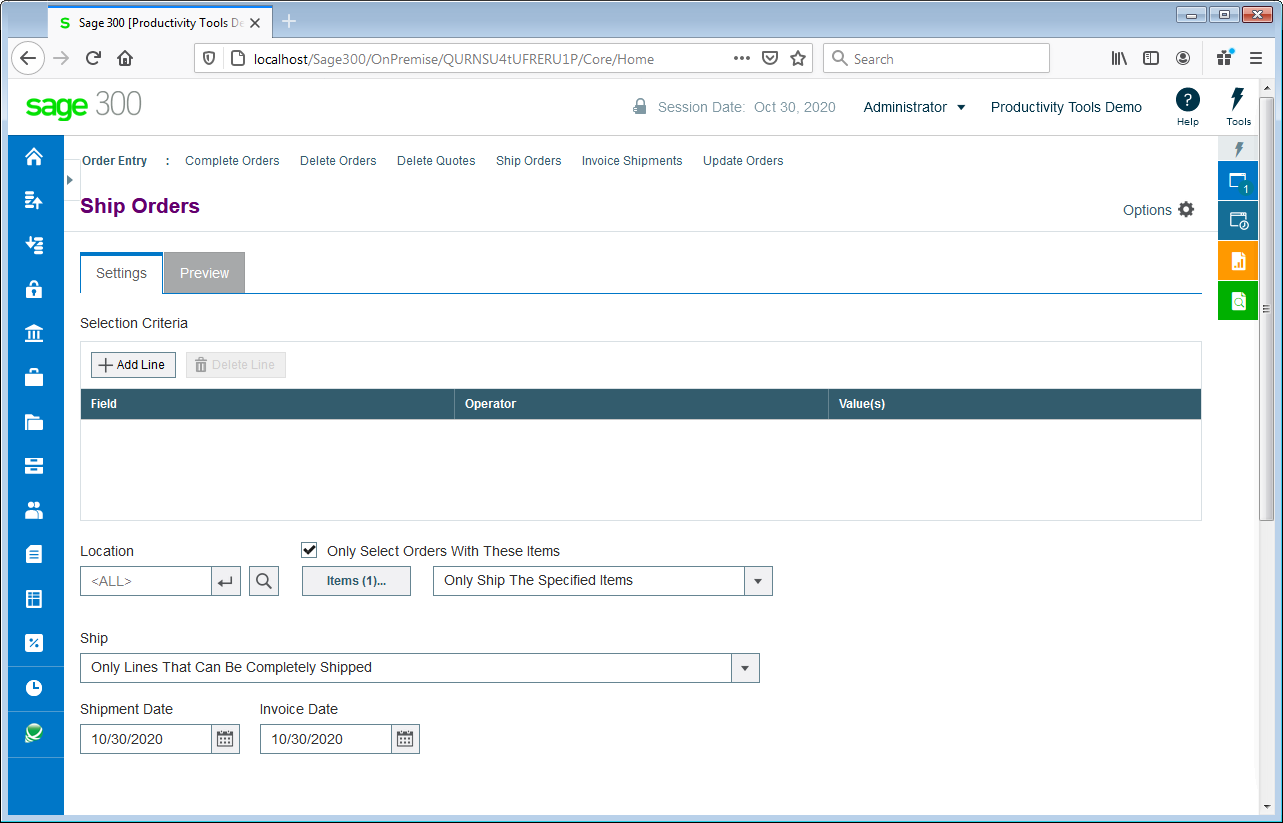
| Ship Orders ships hundreds of orders, optionally invoicing at the same time. |
 |
|
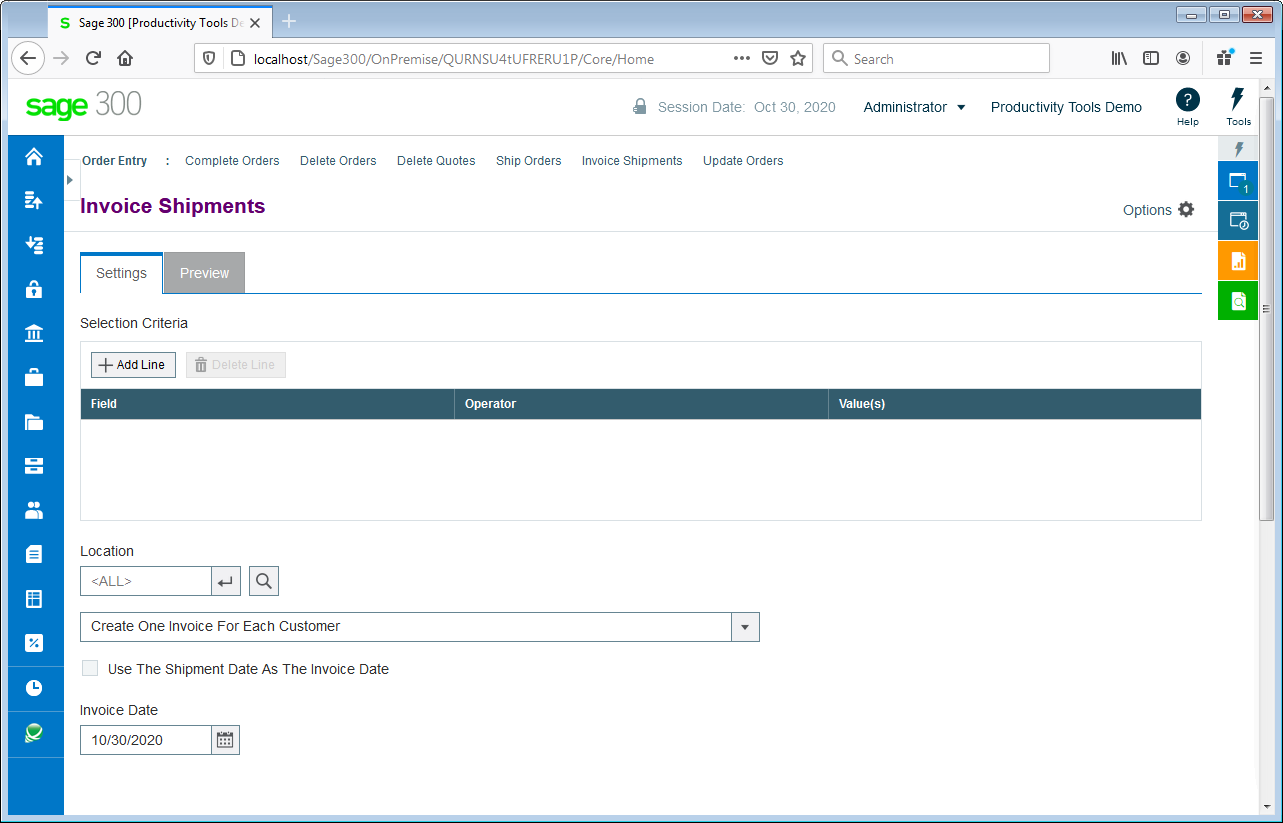
| Invoice Shipments invoices hundreds of shipments with many consolidation options. |
 |
|
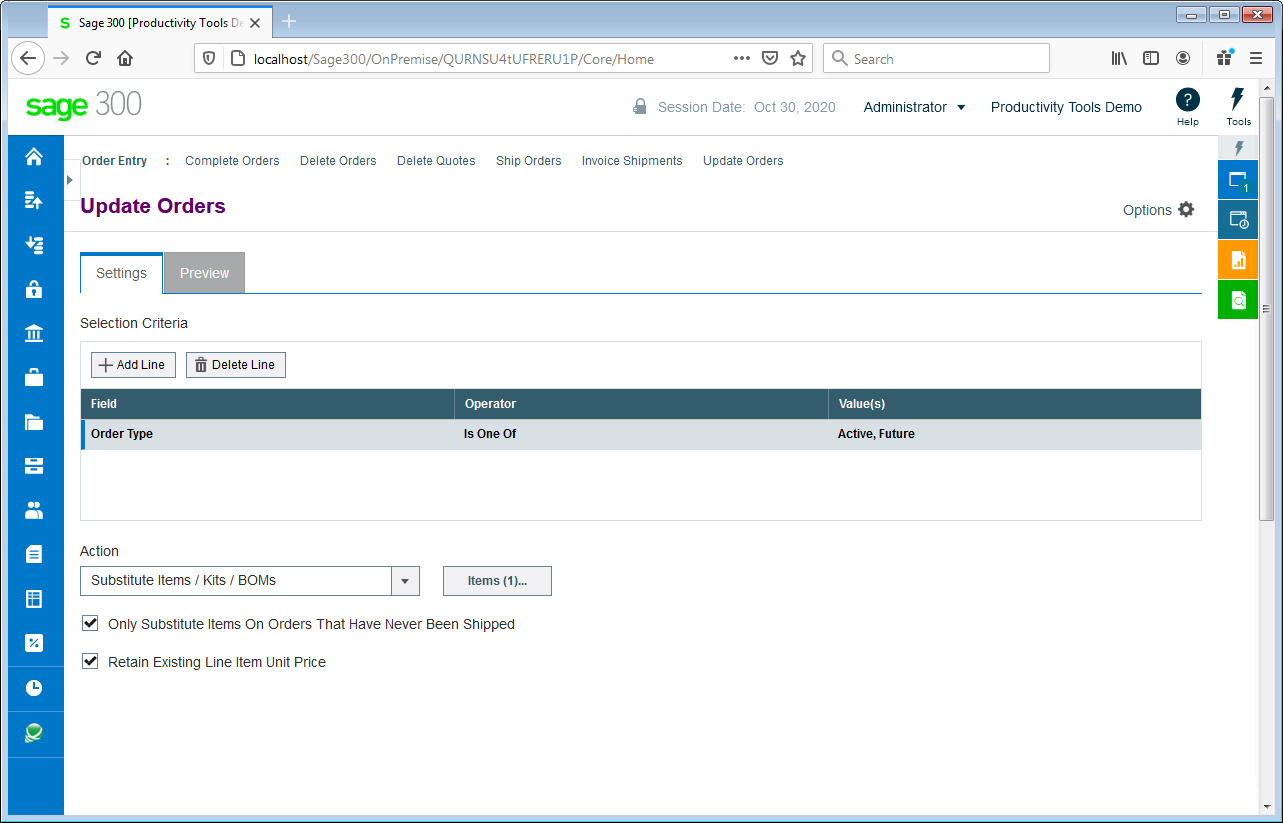
Update Orders updates BOMs, kits or items for hundreds of orders. Updates prices from price lists, expected ship dates, deliver-by dates, on-hold status and customer addresses.
Watch: Video |
 |
|
| Purchase Order Tools |
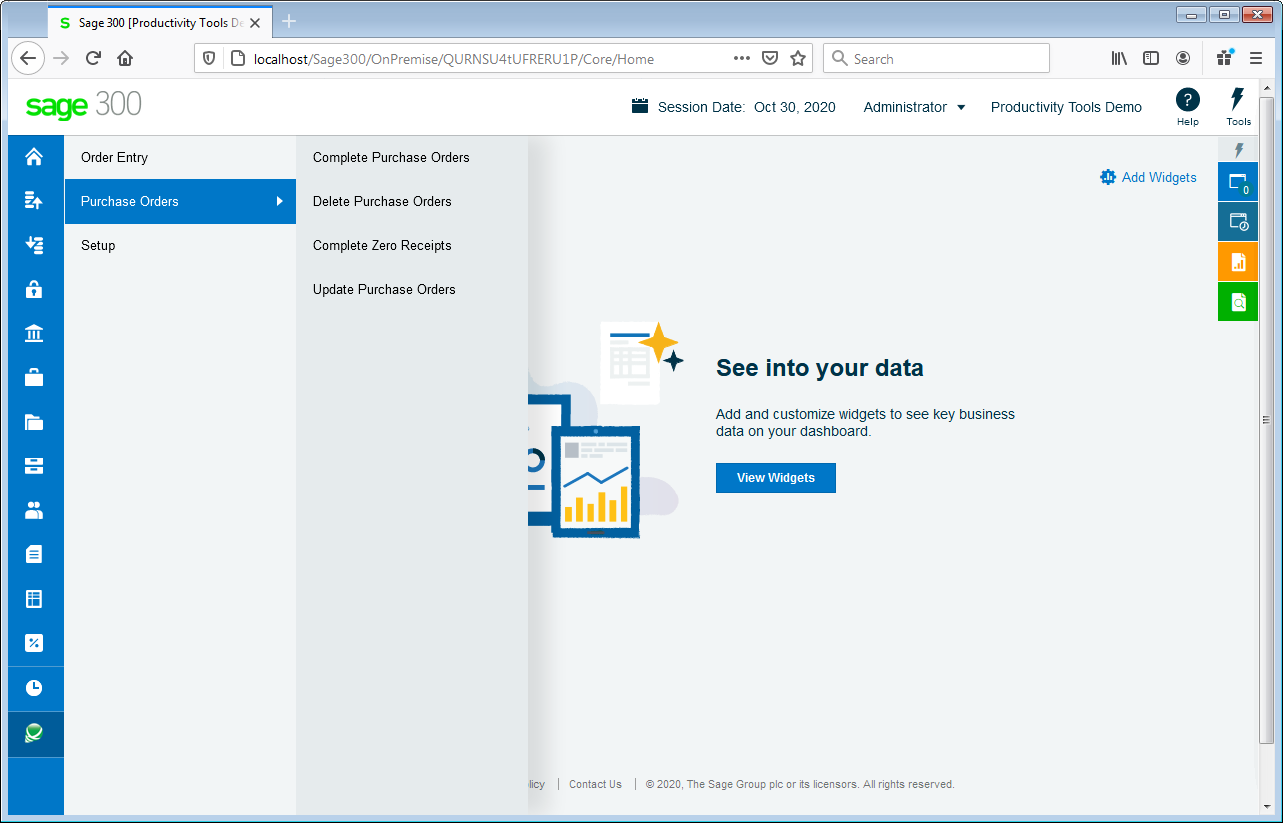
| Access Purchase Order tools from the Sage 300 menu: |
 |
|
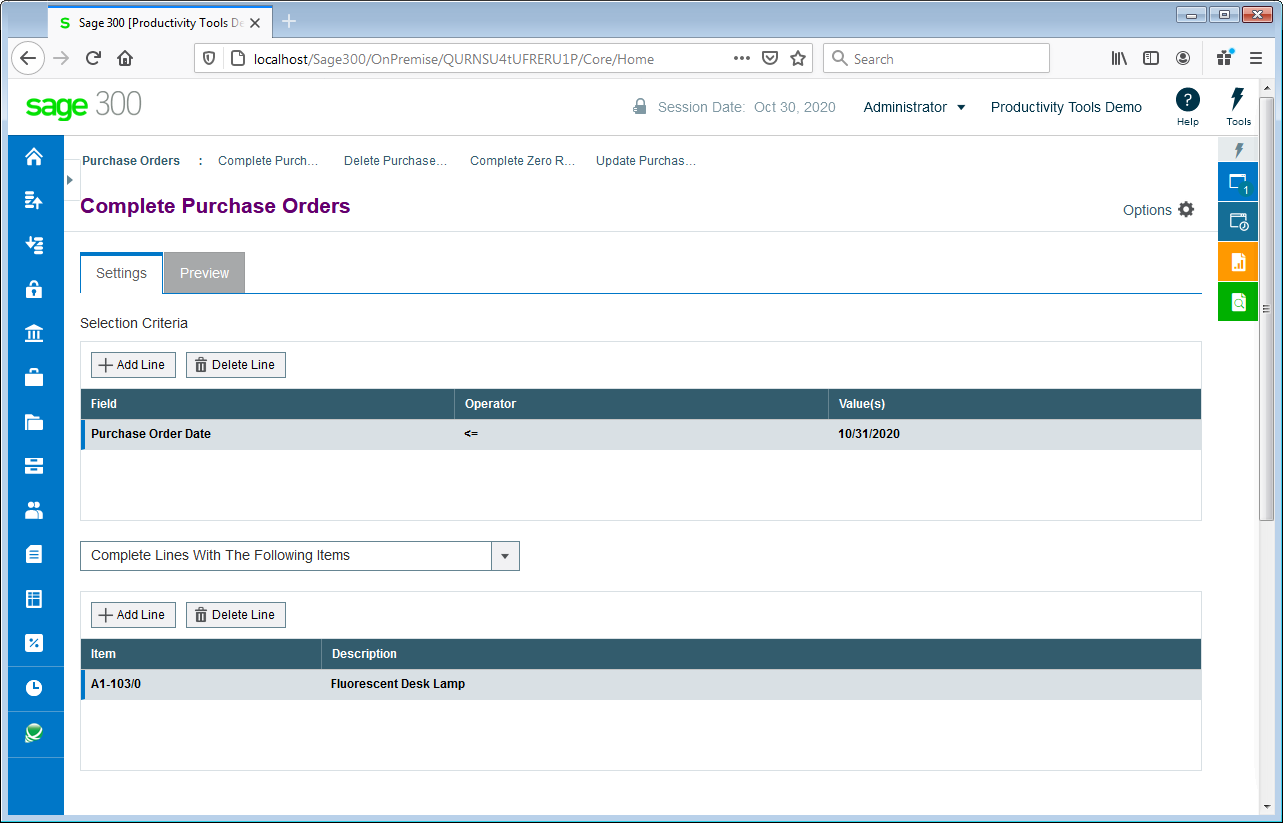
| Complete Purchase Orders completes old purchase orders that will never be filled, correcting quantities. |
 |
|
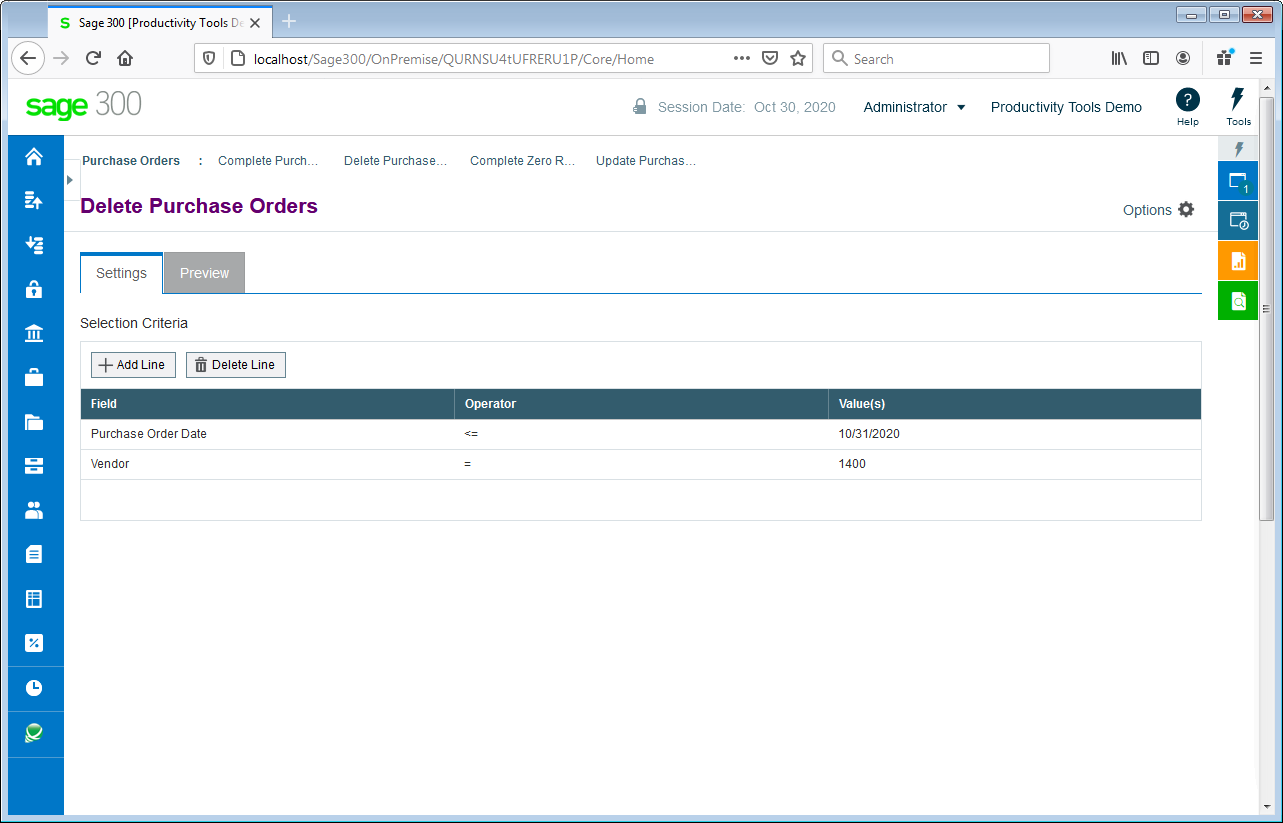
| Delete Purchase Orders deletes old purchase orders to correct item quantities and speed up day-end. |
 |
|
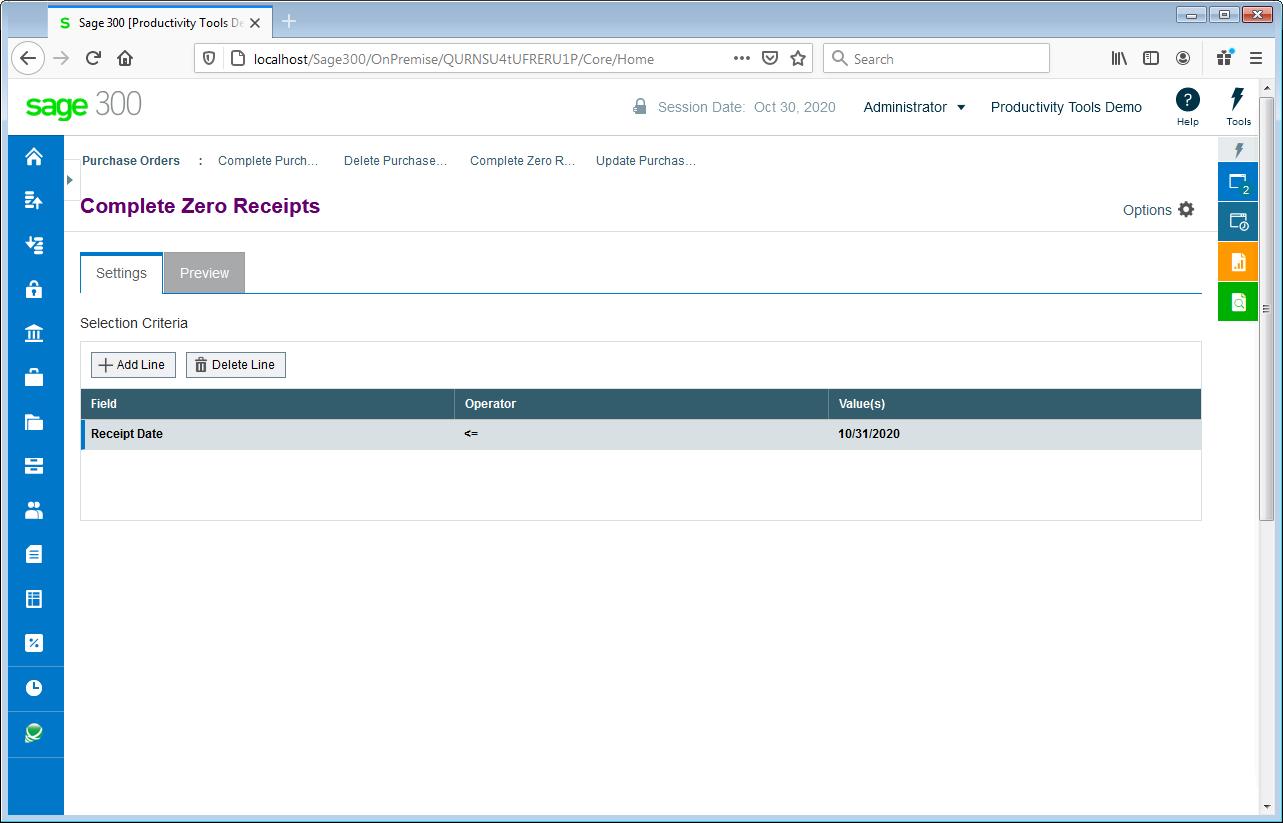
| Complete Zero Receipts finds and completes purchase order receipts with zero cost. |
 |
|
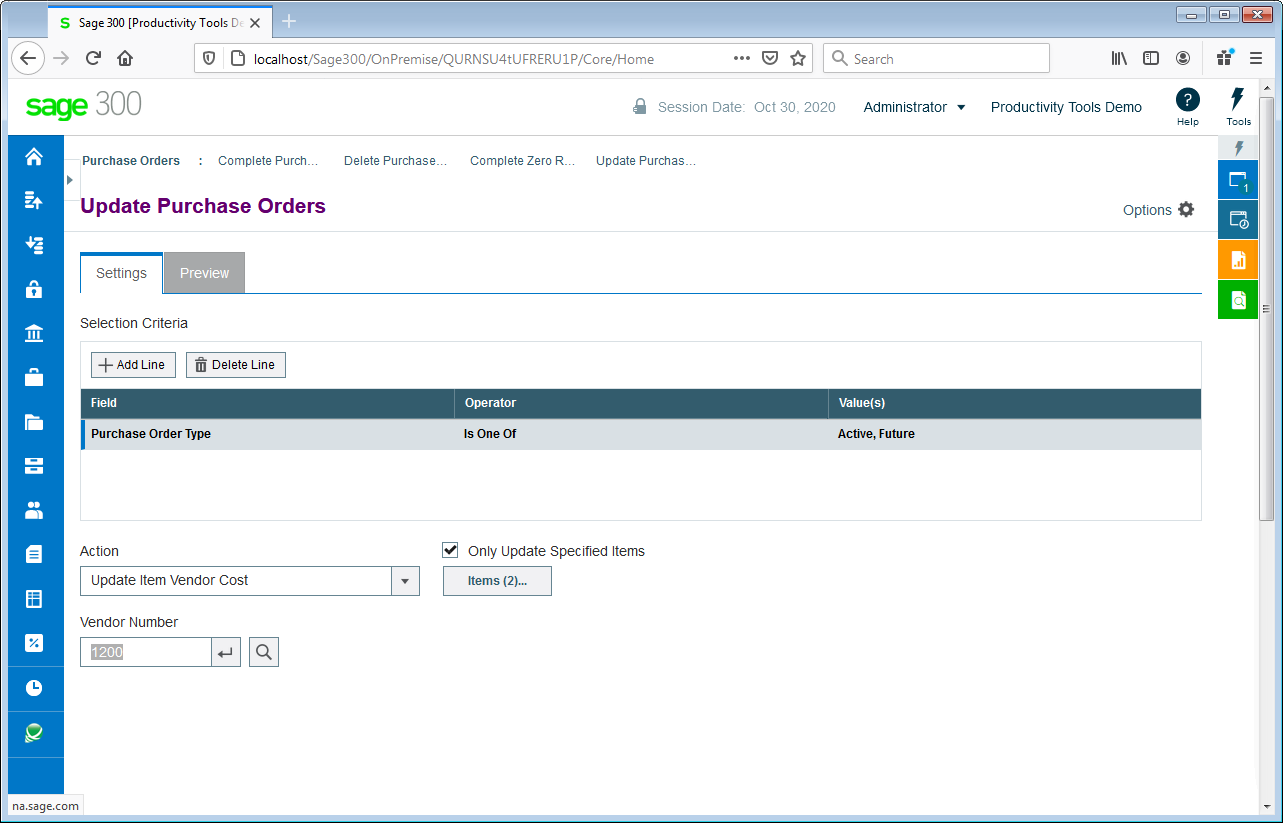
| Update Purchase Orders updates vendor costs for hundreds of purchase orders. Updates expected arrival dates for hundreds of purchase orders. |
 |
| Platform Requirements |
| • | Sage 300 Web Screens 2021.2, 2022.2 or 2023.0 is required. | | • | Detailed Platform Requirements |
|
