| TaiRox Revaluation |
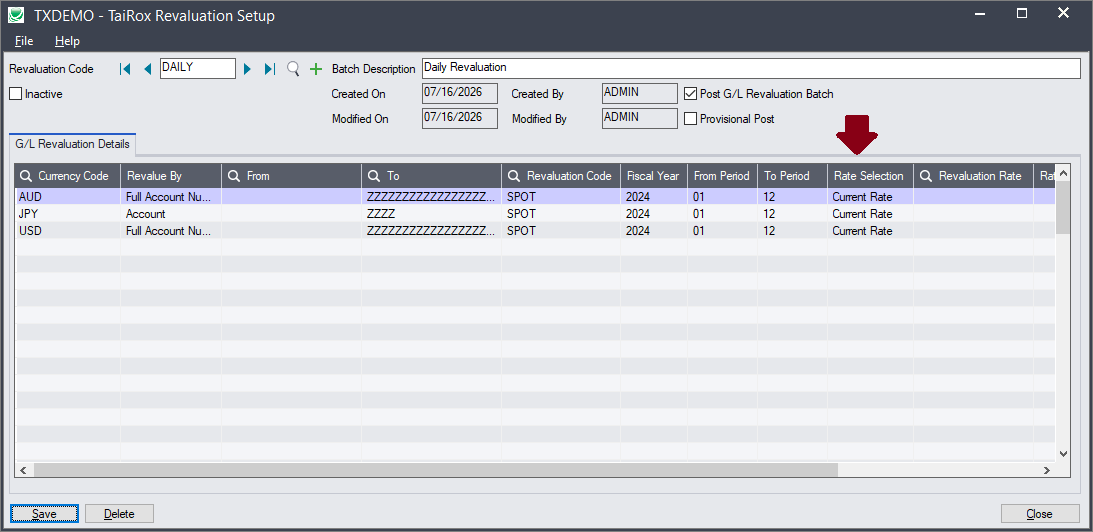
| Available for $1,095 + $275 per year, TaiRox Revaluation stores revaluation details in a database table keyed to a code, saving time and reducing errors.
Processing the revaluation is then reduced to selecting a code and pressing the Process button. PDF Brochure – Video |
|
|
|
| Features and Benefits |
| • | Avoids re-keying the same options every time revaluations are calculated. | | • | Stored settings include an option to use current rates. | | • | Creates and optionally posts revaluation batches. | | • | Schedule to revalue multiple companies in multiple ways in a single step. | | • | Creates a basic Windows Scheduled Task and will launch the Task Scheduler. |
|
|
|
| Platform Requirements |
| • | Sage 300 2018 to 2026: A single executable program works with these platforms. |
| • | .NET Framework 4.7.2 or higher is required. |
| • | Visual C++ 2013 Redistributable (x86) - 12.0.30501 or higher is required. |
| • |
Detailed Platform Requirements |
|
